A lightweightonline doc

Focus on writing.
Work together, cloud sync, and write offline.

Start for free

Work

Write plans, share docsMake daily work easier.

Personal

Take notes, organize ideasKeep everything clear.

Team

Edit together, share with easeTeamwork made simple.

Focus on your writing

A clean interface.

Focus mode, give your full attention to the content.

KKDoc focus mode editor

All the tools you need

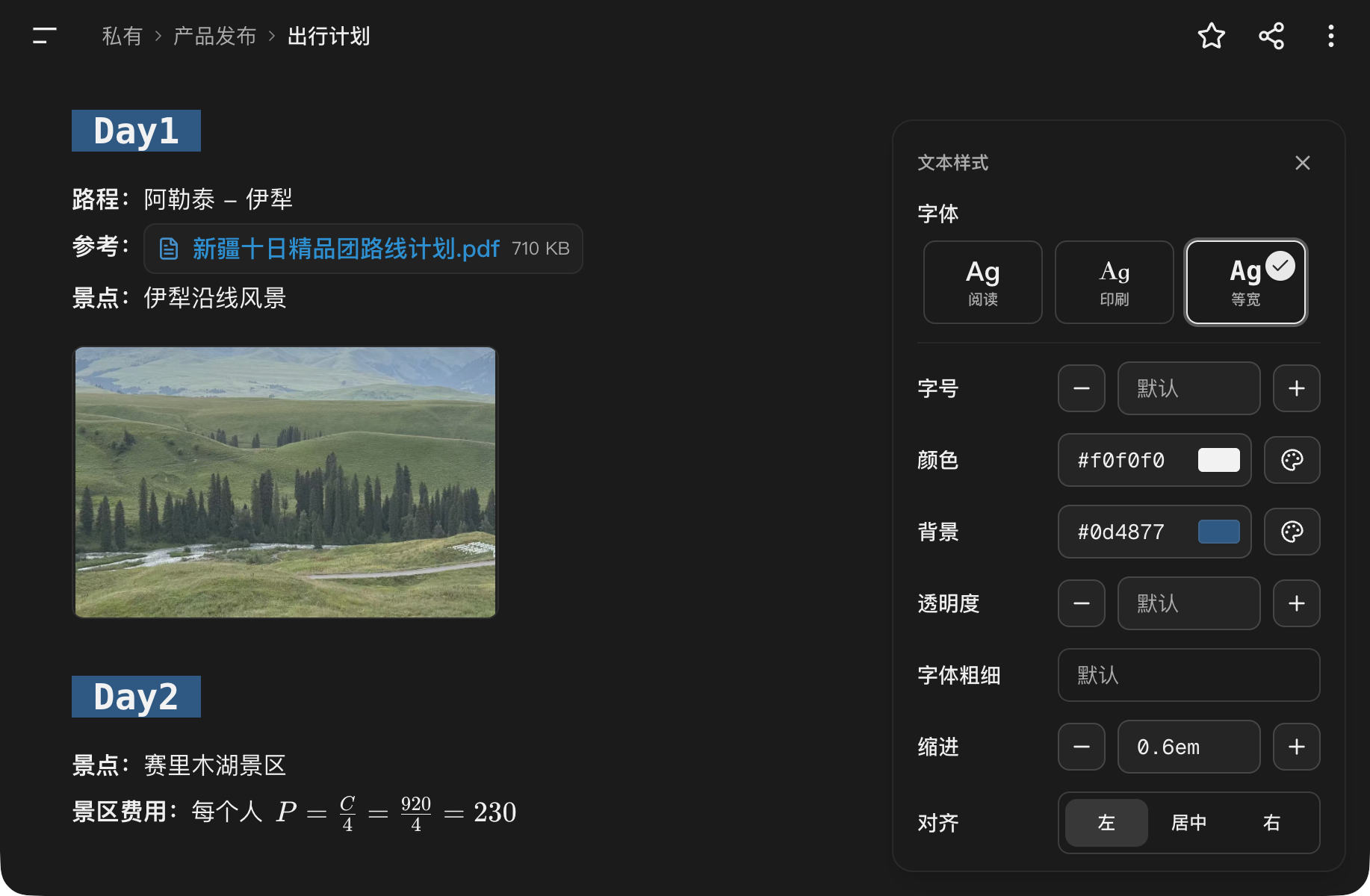
Images, attachments, formulas, tables,

Rich text and paragraph styles.
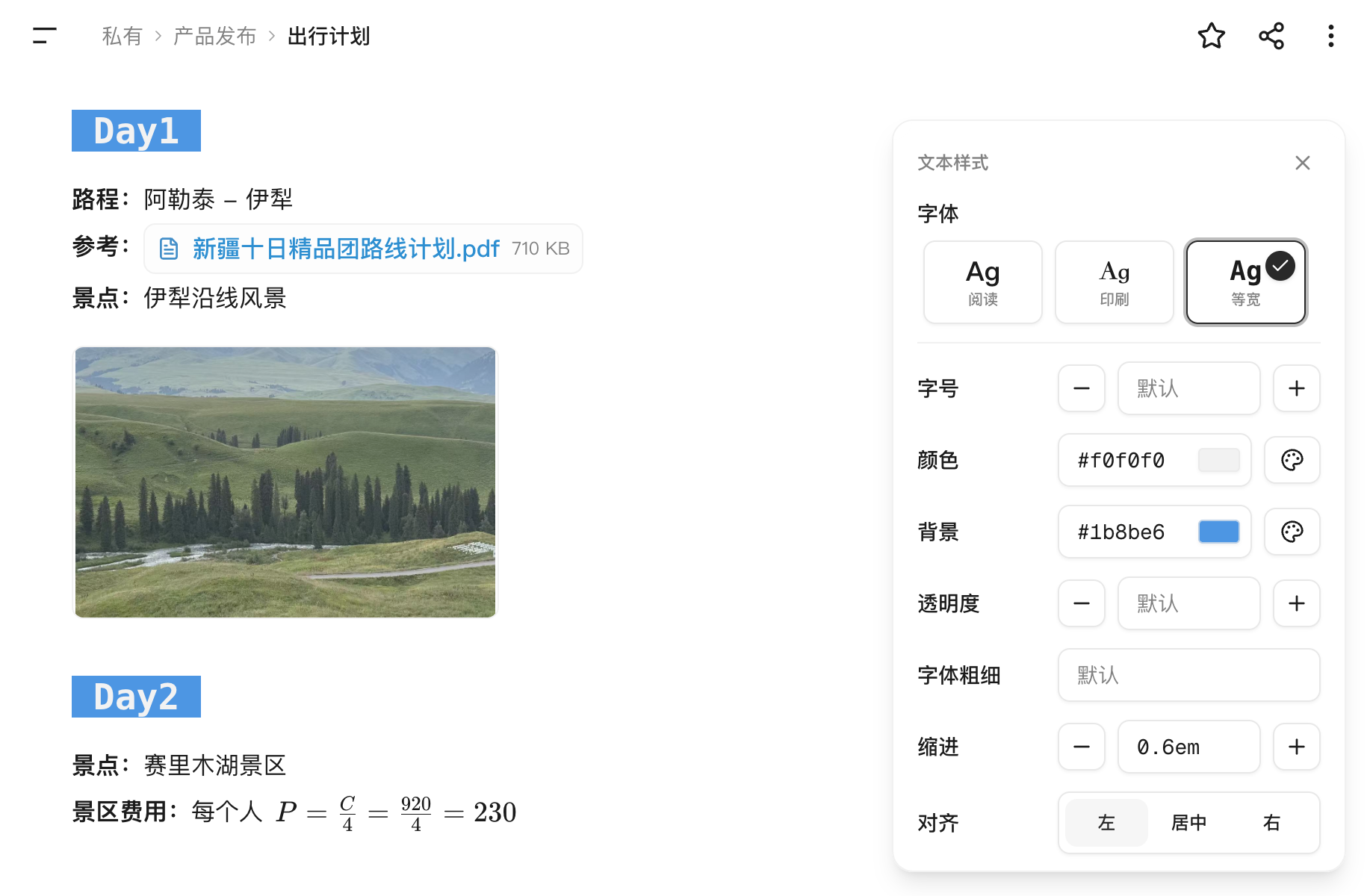
KKDoc rich formatting options

Edit together

Edit the same doc and see changes right away.

Share with one link

Anyone can view the doc without signing up.

View a shared doc

You control access

Choose view-only or editing access.

Multple devices sync.

Works on phones, tablets, and computers.

Lighter loading, faster editing

Network transfer

3% of the competitor
KKDoc700KB
Competitor23MB

Initial load requests

5% of the competitor
KKDoc39 requests
Competitor793 requests

Page memory usage

6% of the competitor
KKDocAbout 20MB
CompetitorAbout 360MB

Results come from first-load tests on the same device and document. Actual results may vary by environment.

View the full test method and comparison
Test itemMeasurementKKDocComparable product
Network transferNetwork:TransferredAbout 0.7MBAbout 23MB
Initial load requestsNetwork:Requests39 requests793 requests
JavaScript heap memoryPerformance Monitor:JavaScript heap sizeAbout 20MBAbout 360MB

Test details

Test date:
July 12, 2026
Device:
2021 MacBook Pro, Apple M1 Pro, 16GB memory
Operating system:
macOS Tahoe 26.0.1
Browser:
Chrome 150.0.7871.100 (arm64)
Test document:
Both products use exactly the same content from Typhoon Protection Guide

Test method

  1. Open both products on the same device and browser.
  2. Clear the site cache, then record network requests from the initial load.
  3. Use Transferred in the Network panel to measure network transfer.
  4. After the document stabilizes, record JavaScript heap size in Performance Monitor.
  5. Disable browser extensions during testing.
  6. Run each test five times and use the median result.
  7. Enable Disable cachein DevTools.
  8. Stay signed in to both products.

Data comes from Chrome DevTools and represents only the device, browser version, document, and environment described above. Actual results may vary.

Secure AI

AI reads the full document to suggest better edits.

Review each change and accept or reject it.

Business-grade AI and privacy protection

More helpful features

Import and export

Import or export Markdown by folderTake your content with you anytime.

Offline editing

Keep writing offlineYour changes syncs when you are back online.

Clear file management

Use familiar folders and documentsFind every file at a glance.

We put privacy first

We do not scan, review, or filter non-public document content. We take the privacy and security of every document seriously.

Learn how we protect your privacy